Features
How it works
From choosing to issuing a paper
How it works
Every screen below is the real KROWN platform.
01
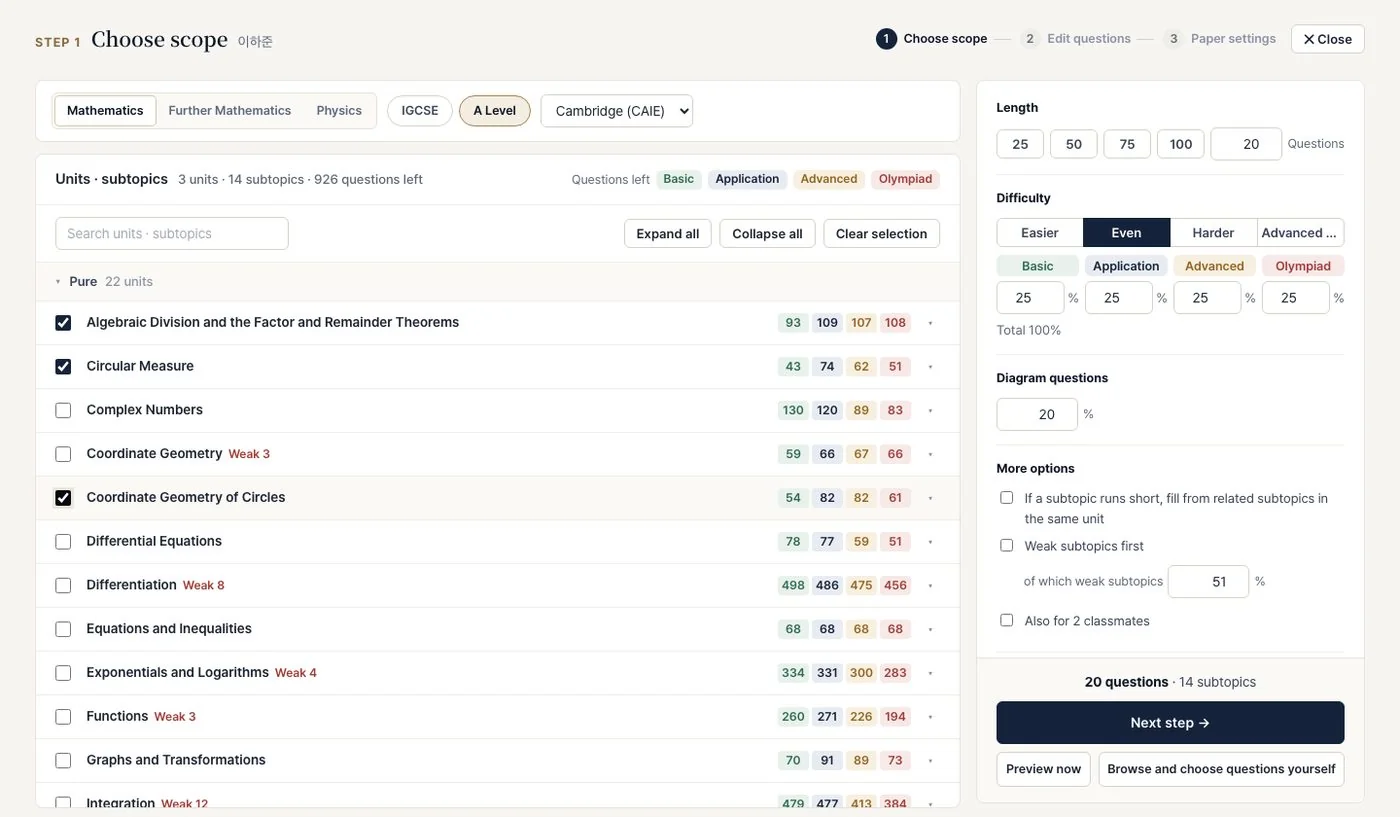
Choose units, set difficulty as a ratio
- Pick easier, balanced or harder, or type the ratio yourself
02
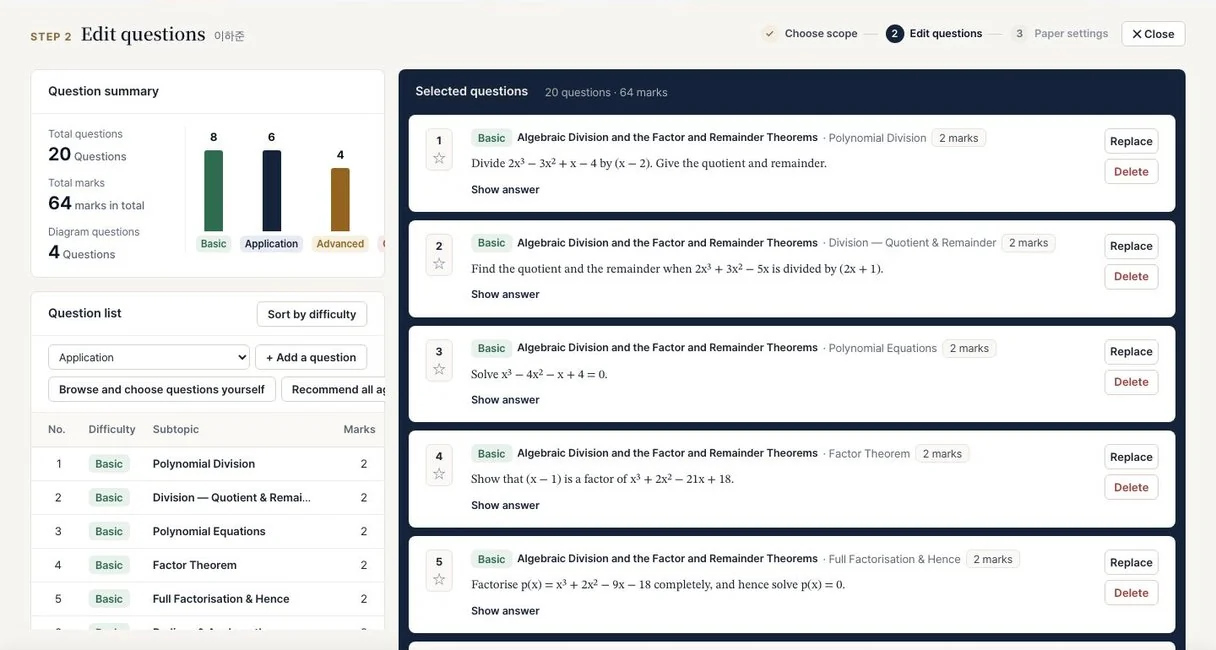
Swap, remove or add questions
- You can also browse and choose questions yourself
03
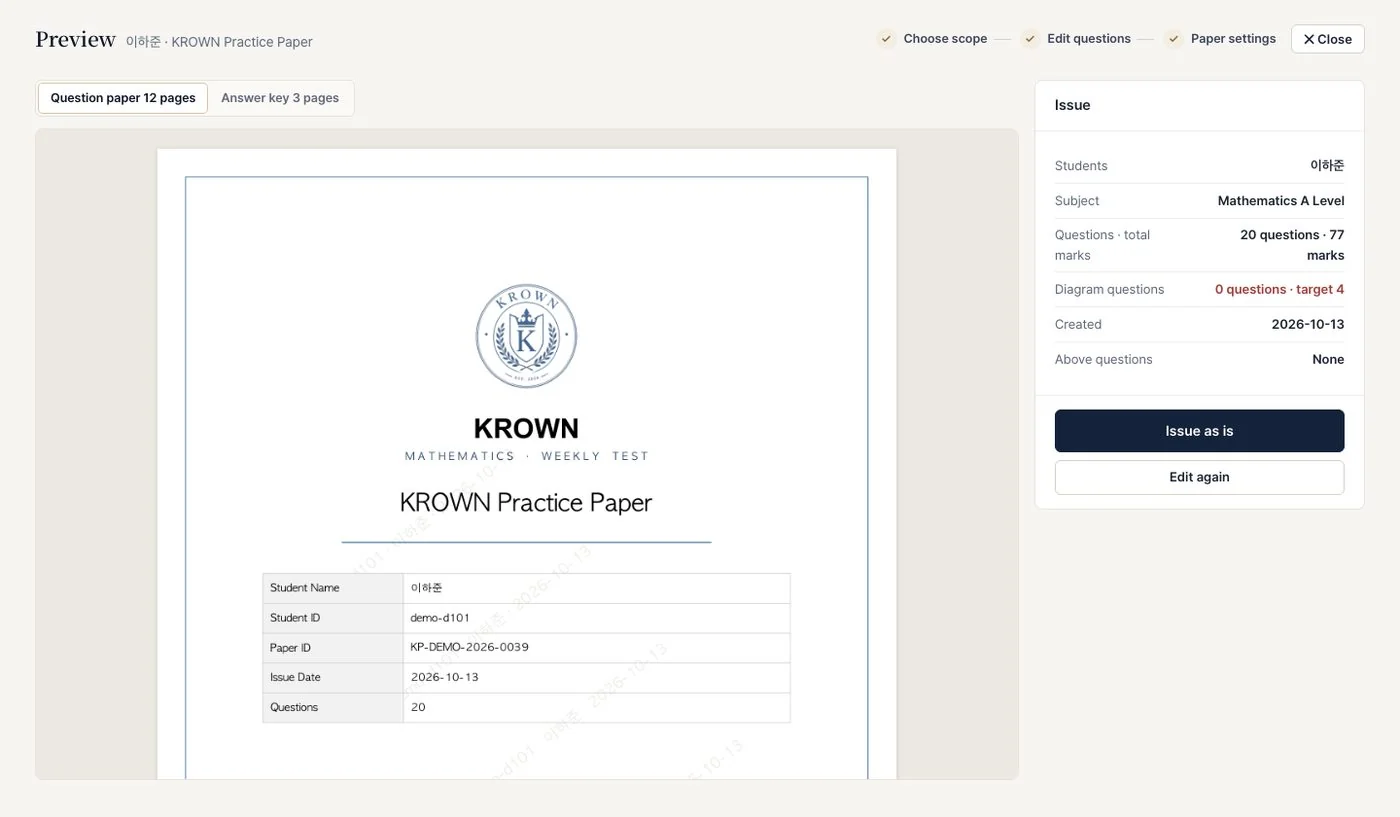
Check the real pages before sending
- Switch between question paper and answer key in tabs
04
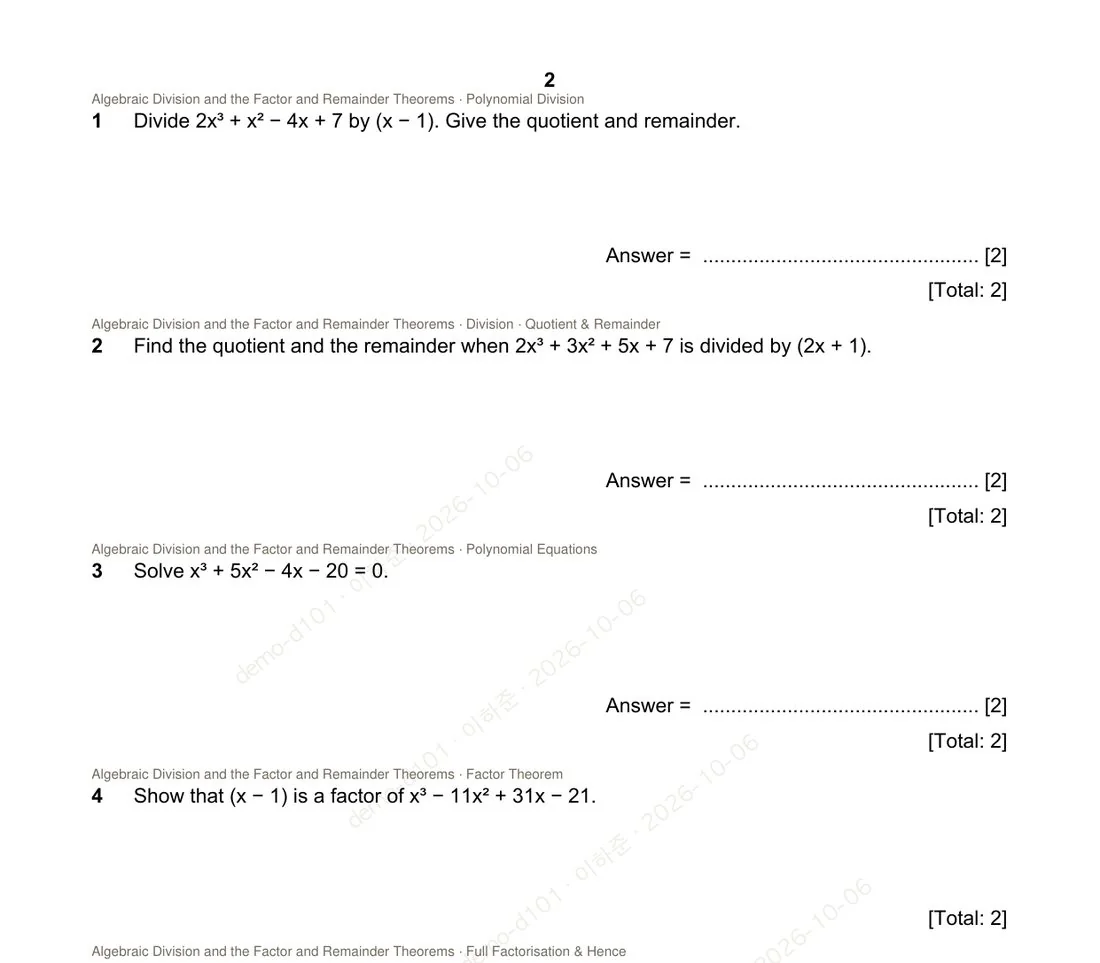
A different paper and answer key for each student
- Even when you set one scope for a whole class, questions are chosen separately for each student, and questions a student has already received never come back
- A mark-scheme answer key goes out with every paper
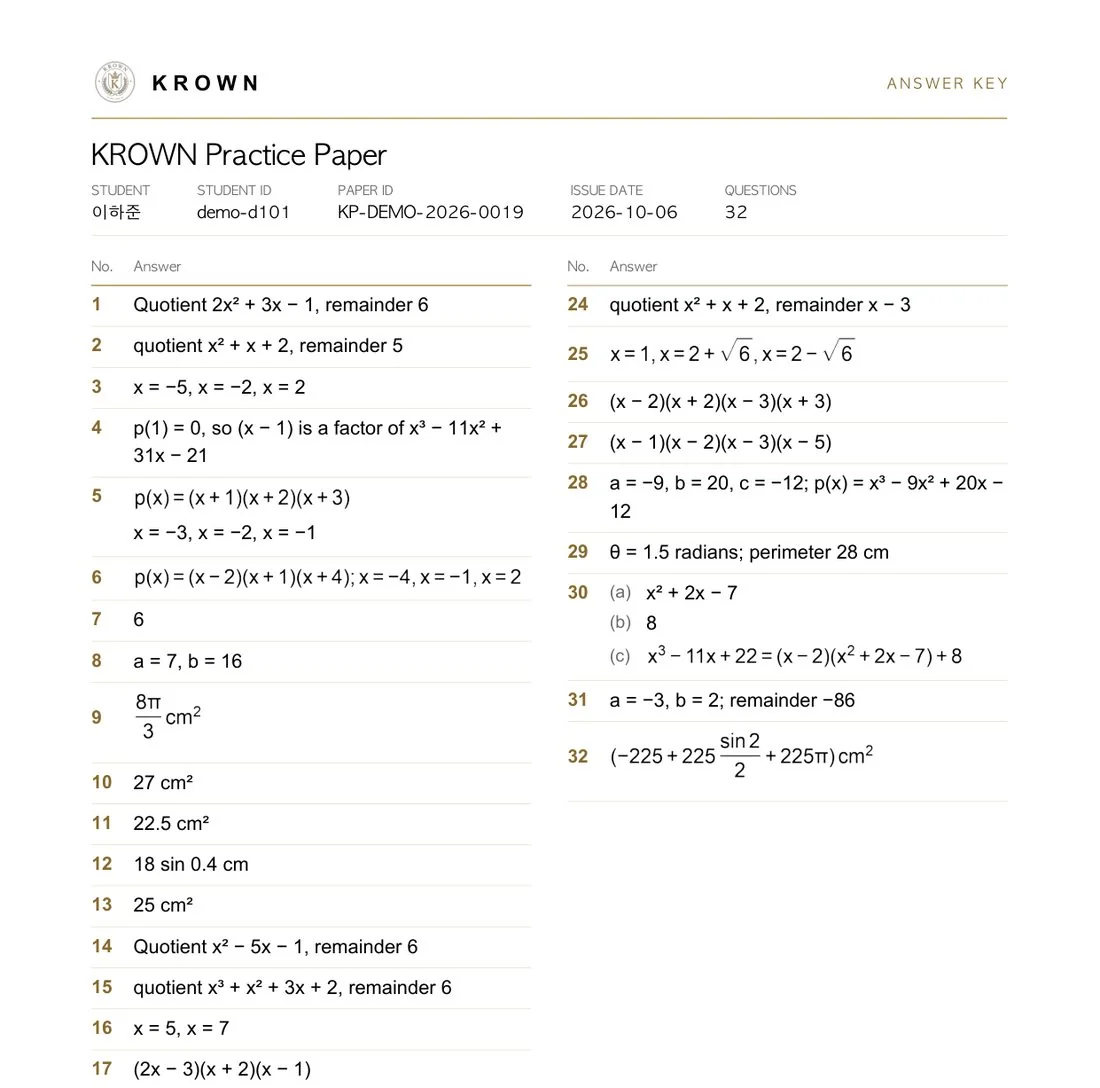
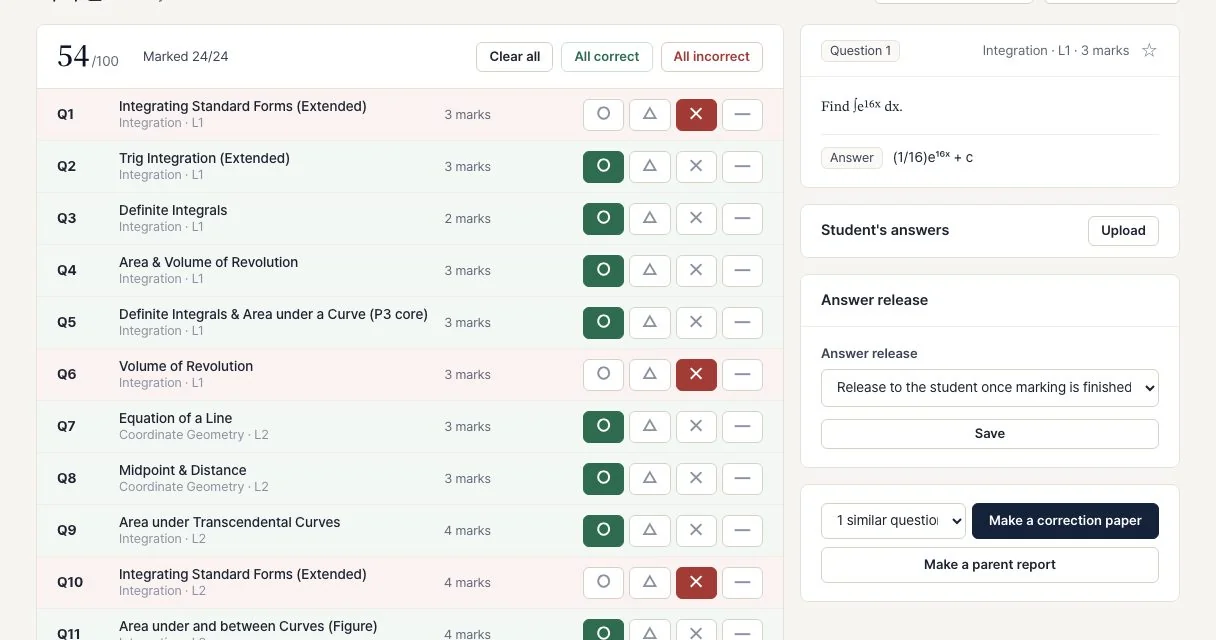
05
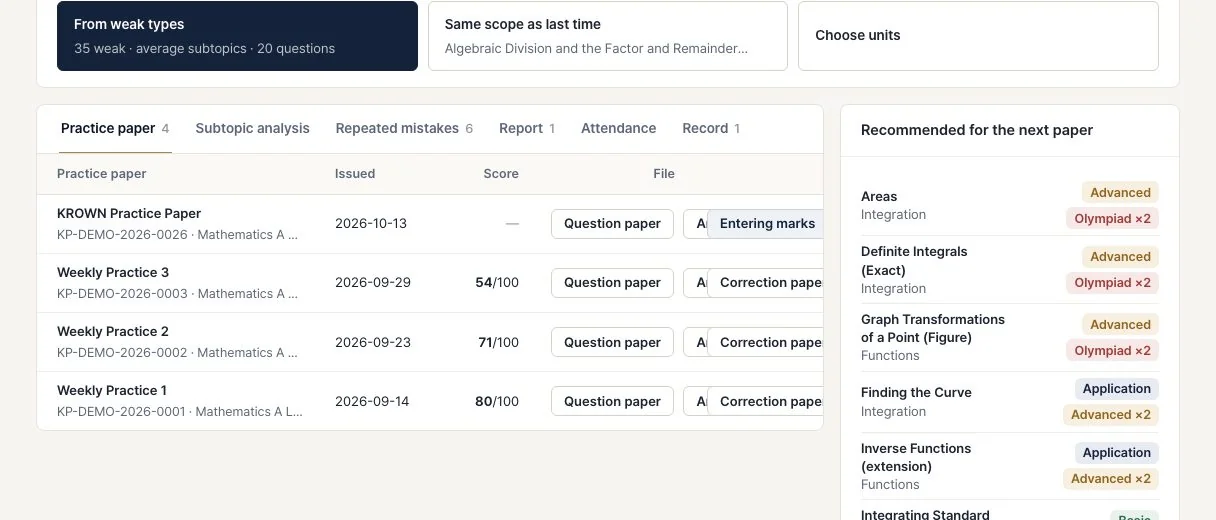
Enter marks and they build up in the student record
- Weak subtopics · next-paper recommendations (Premium · Starter)
06
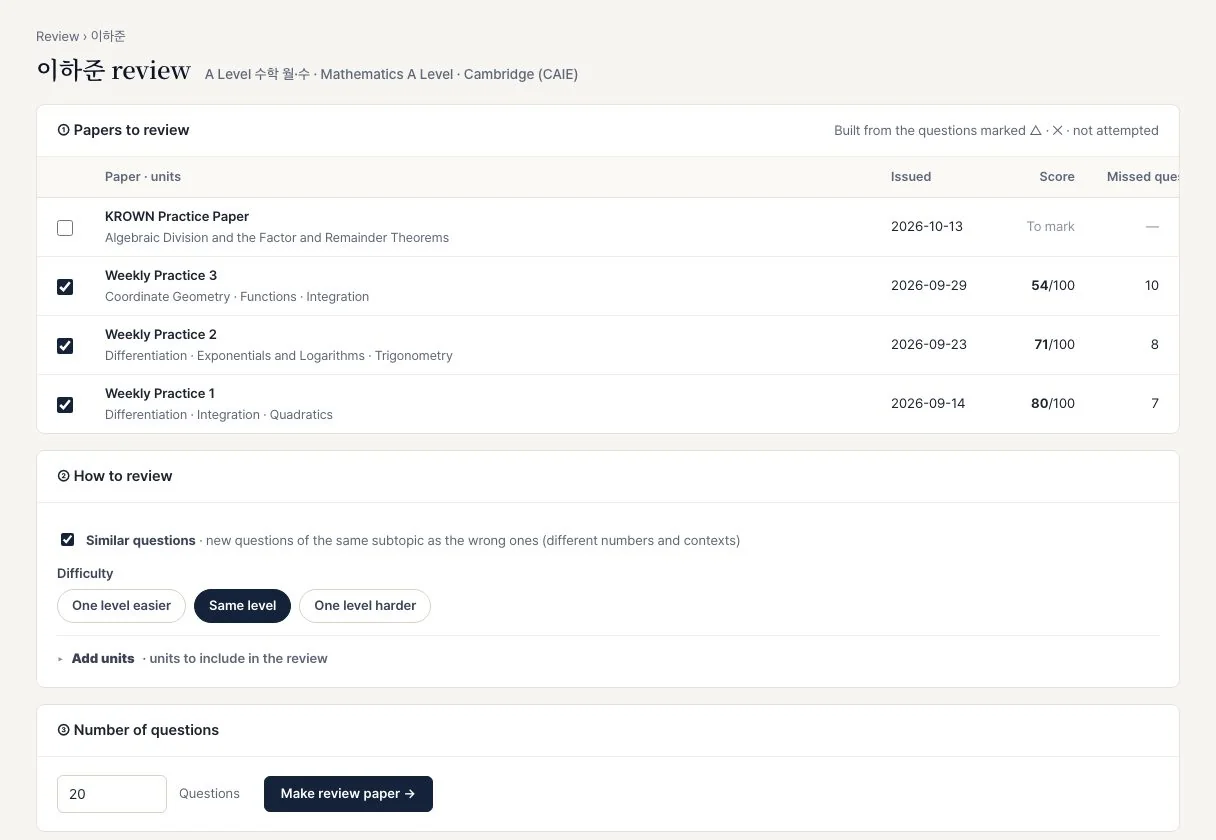
Review
- New questions of the same subtopic as the wrong ones
- Premium · Starter
07
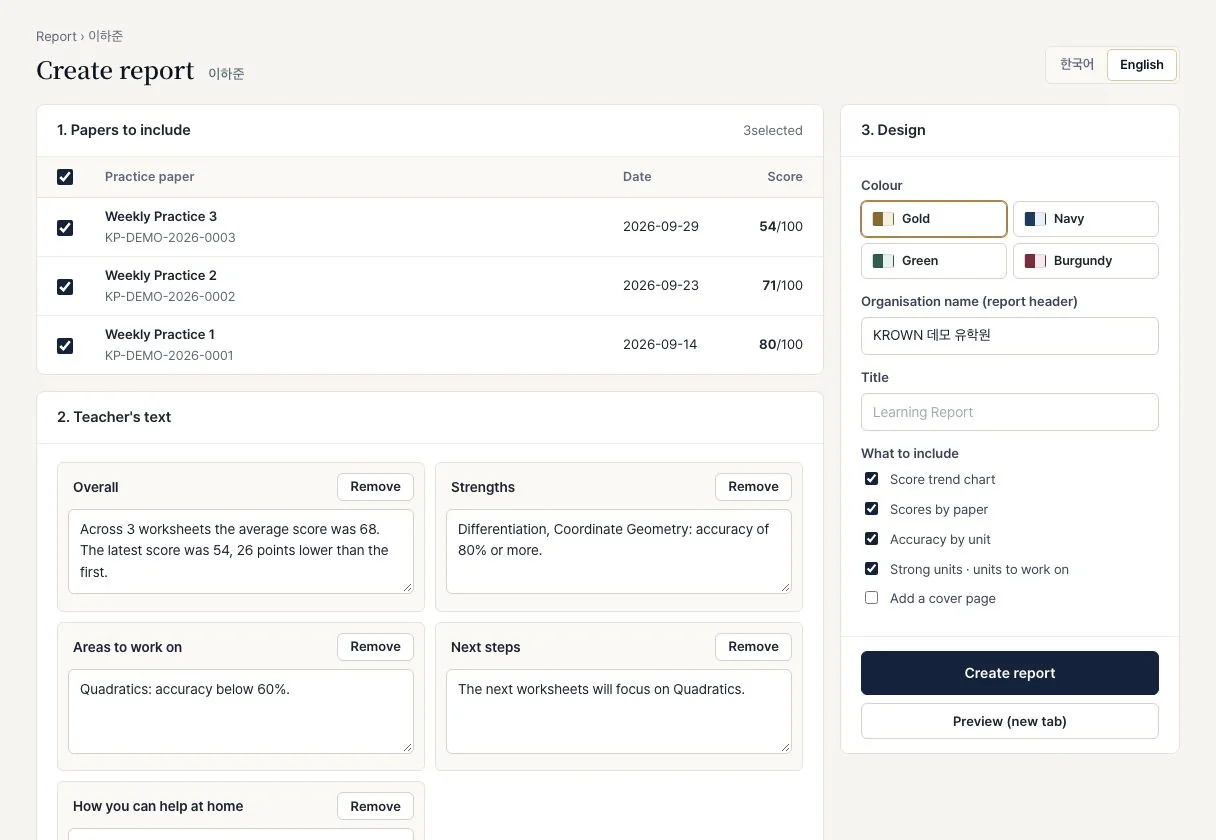
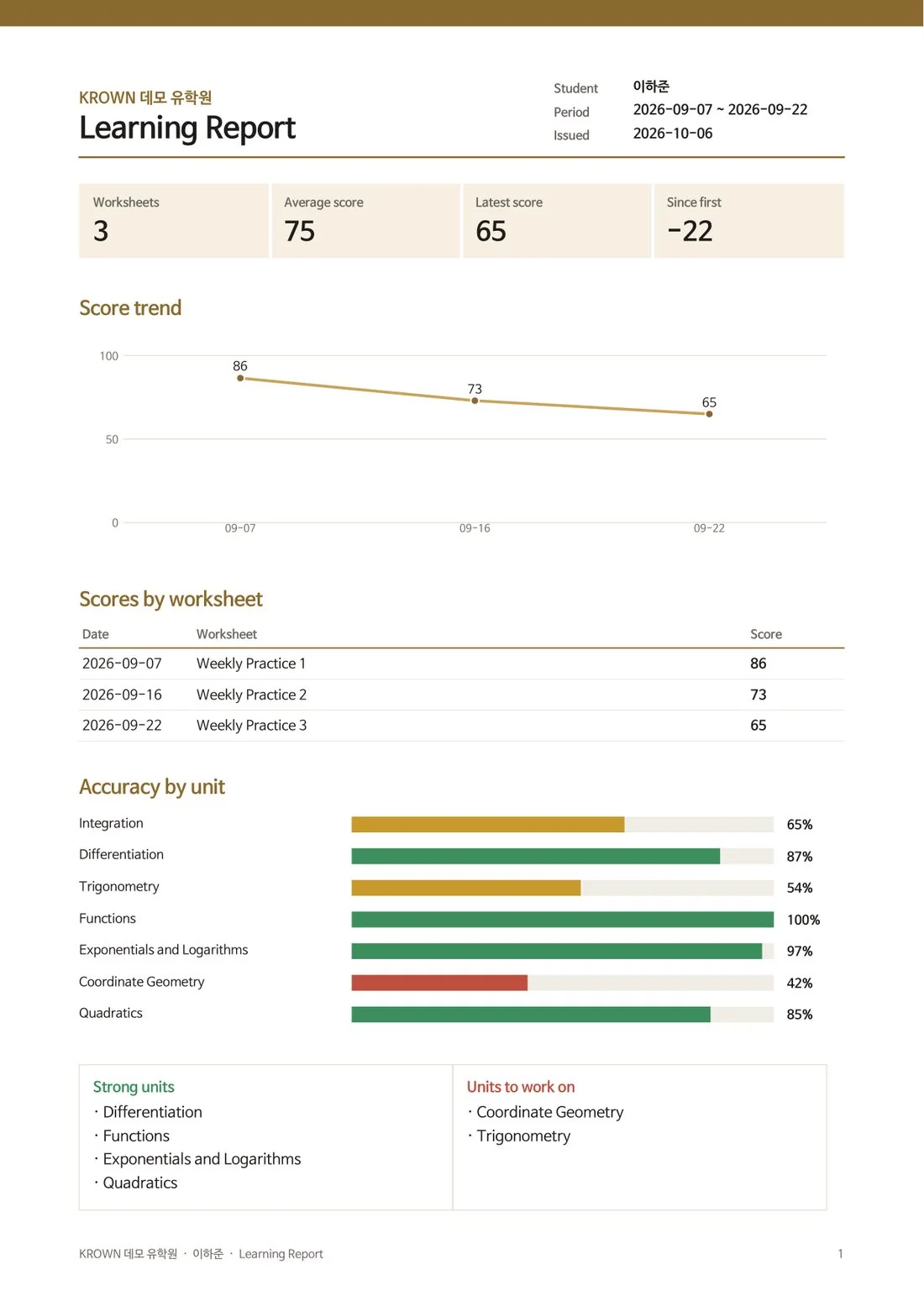
Parent report
- Score trend · accuracy by unit charts
- Premium · Starter
01
Choose units, difficulty and the number of questions, and the question paper and answer key are ready
- Before a paper is made, you see how many credits it will use
02
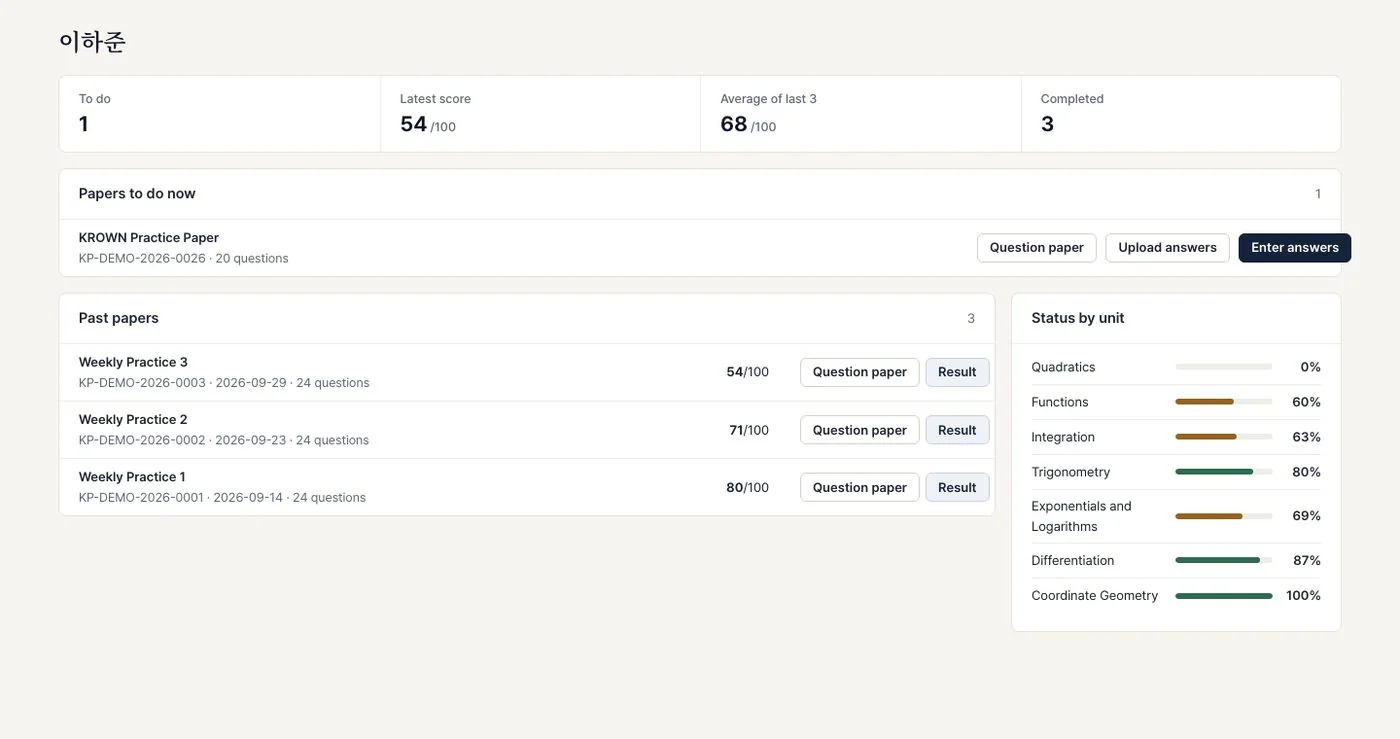
Enter answers on screen and they are marked straight away
- Accuracy by unit · weak subtopics · error-review papers (Premium)
03
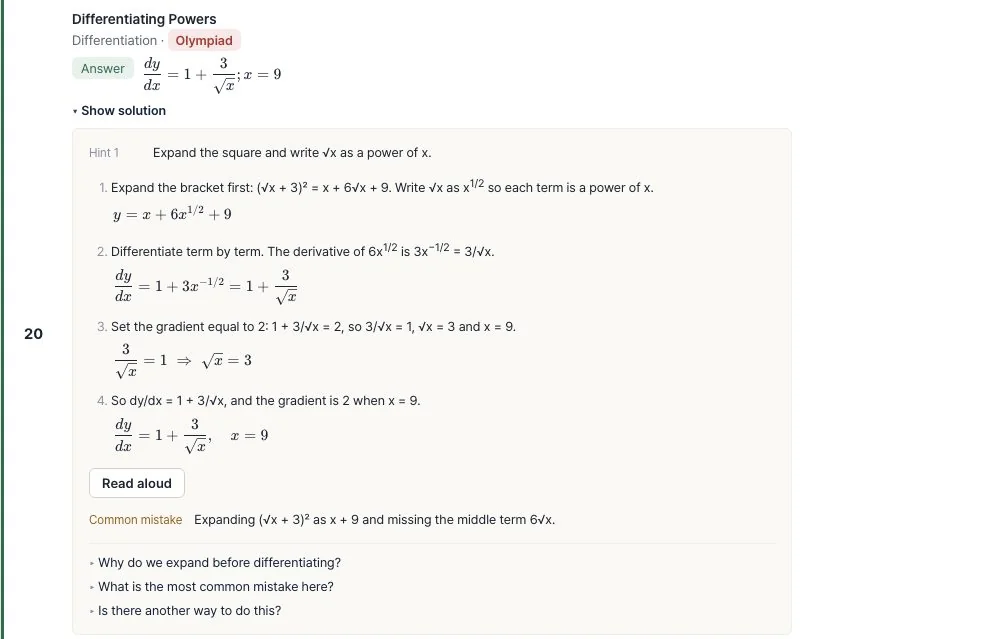
Wrong answers come with step-by-step solutions
- For questions with a prepared solution, open hints one at a time
Make your first paper today
Start with one account for your child
Starter Package KRW 198,000 · every Premium feature for a month
For questions, contact the KROWN KakaoTalk channel.